


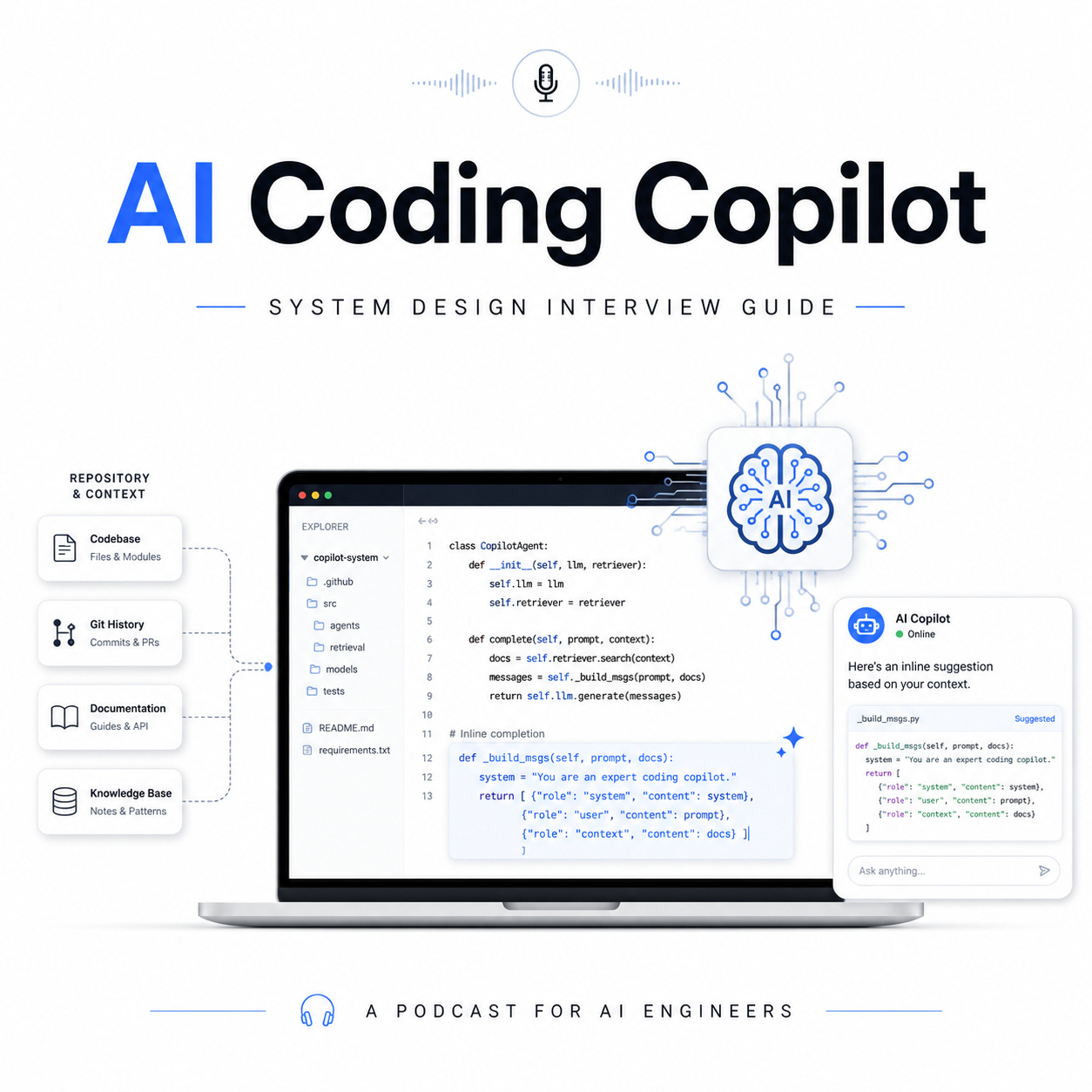
AI coding copilots are becoming one of the most important developer productivity tools in modern software engineering. They help developers write code faster, understand unfamiliar repositories, debug issues, generate tests, refactor legacy systems, and automate repetitive engineering work.
But designing an AI coding copilot is not just about connecting an IDE to a large language model.
A real production-grade coding copilot must balance low latency, repository context, model quality, security, cost, privacy, and developer trust. In a system design interview, this problem tests your ability to design both a real-time AI product and a scalable enterprise platform.
At a high level, the system has two major product modes:
↳ Inline code completion
This provides fast, real-time suggestions as the developer types. The goal is speed. The system should return useful code completions in milliseconds.
↳ Chat-based coding assistant or agent
This handles more complex tasks such as explaining a function, generating unit tests, modifying multiple files, fixing build errors, or creating a pull request. The goal is deeper reasoning and broader context.
A strong design separates these two paths because they have very different latency, context, and model requirements.
1. Product Requirements
The copilot should support several core developer workflows:
↳ Suggest code while the developer types
↳ Complete functions, classes, and boilerplate
↳ Explain selected code
↳ Generate tests
↳ Debug errors from stack traces or logs
↳ Refactor code across files
↳ Answer questions about the repository
↳ Follow company coding standards
↳ Protect proprietary source code
↳ Avoid insecure or license-risky code generation
The system must also support multiple IDEs such as VS Code, JetBrains, Vim, or browser-based editors. For enterprise use cases, it should support authentication, tenant isolation, access control, audit logs, usage analytics, and policy enforcement.
The key non-functional requirements are:
↳ Low latency for inline completions
↳ High relevance for repository-aware answers
↳ Strong privacy for proprietary code
↳ Scalable indexing for large repositories
↳ Cost efficiency across many developers
↳ Safety guardrails for insecure or non-compliant output
↳ Measurable developer productivity impact
2. High-Level Architecture
A production AI coding copilot usually has the following components:
↳ IDE plugin
↳ Copilot gateway API
↳ Context collection service
↳ Repository indexing pipeline
↳ Embedding and vector search system
↳ Retrieval and ranking service
↳ Prompt construction service
↳ Model serving layer
↳ Safety and policy guardrails
↳ Feedback and evaluation pipeline
↳ Analytics and monitoring system
The IDE plugin is the user-facing layer. It captures the active file, cursor position, selected code, nearby code, language type, open tabs, diagnostics, terminal output, and user query. It should send only the necessary context to reduce latency and protect privacy.
The copilot gateway handles authentication, rate limiting, tenant routing, request validation, logging, and policy checks. In enterprise systems, this gateway is critical because every request may contain sensitive proprietary code.
The repository indexing pipeline builds a searchable representation of the codebase. It parses files, chunks code intelligently, extracts symbols, generates embeddings, stores metadata, and updates indexes when code changes.
The model serving layer may use different models for different tasks. A small low-latency model may power inline completions, while a larger reasoning model may power chat, debugging, and multi-file agentic workflows.
3. Inline Completion Path
Inline completion is the most latency-sensitive workflow.
When a developer types code, the IDE plugin sends a lightweight request containing:
↳ Current file content around the cursor
↳ Prefix and suffix context
↳ Programming language
↳ Current function or class
↳ Nearby imports
↳ Recent edits
↳ Optional repository snippets
The system should not retrieve the entire repository for every keystroke. That would be too slow and too expensive. Instead, it should use a fast context window around the cursor, lightweight caching, and possibly a small amount of precomputed repository context.
A typical inline completion flow looks like this:
↳ Developer types in IDE
↳ IDE plugin detects completion trigger
↳ Local debounce prevents excessive requests
↳ Gateway validates request
↳ Context service builds compact prompt
↳ Small coding model generates completion
↳ Safety filter checks for risky output
↳ Suggestion returns to IDE
↳ Developer accepts, rejects, or edits suggestion
The target latency should usually be under a few hundred milliseconds. Developers will ignore suggestions if they feel slow. This is why inline completion often uses smaller distilled models, prefix caching, speculative decoding, and aggressive request optimization.
For example, the system may use:
↳ Small model for single-line completion
↳ Medium model for function completion
↳ Larger model only when explicitly requested
↳ Cached KV states for repeated file context
↳ Local ranking to choose the best suggestion
↳ Streaming tokens to show output immediately
The key tradeoff is quality versus latency. A larger model may produce better code, but if it is too slow, the user experience fails.
4. Chat and Agentic Coding Path
Chat-based coding assistance has a different architecture. It can tolerate higher latency because users expect deeper reasoning.
For example, a developer may ask:
“Why is this function failing?”
“Generate unit tests for this service.”
“Refactor this module to use async.”
“Find where this API endpoint is implemented.”
“Fix this TypeScript error across the repo.”
This requires repository-aware retrieval.
The system should collect context from:
↳ Current file
↳ Selected code
↳ Open tabs
↳ Stack traces
↳ Terminal logs
↳ Build errors
↳ Related files
↳ Dependency graph
↳ Repository index
↳ Documentation
↳ Past conversation history
The retrieval system should combine multiple techniques:
↳ Symbol search for functions, classes, and variables
↳ Lexical search such as BM25 for exact keyword matching
↳ Vector search for semantic similarity
↳ Graph traversal through imports, calls, and dependencies
↳ Reranking to select the most relevant snippets
A strong answer in an interview should emphasize that code retrieval is not the same as document retrieval. Code has structure. Functions call other functions. Classes inherit from other classes. Files import modules. A good copilot should understand these relationships.
For complex agentic tasks, the system may use a planning loop:
↳ Understand the user request
↳ Retrieve relevant files
↳ Create an execution plan
↳ Propose code changes
↳ Run tests or static analysis
↳ Observe errors
↳ Revise the solution
↳ Present final diff to the developer
The agent should not directly modify files without user approval. A safe design shows a proposed diff, explains the change, and lets the developer accept or reject it.
5. Repository Indexing and Context Engineering
Repository indexing is one of the most important parts of the system.
A naive approach chunks code by fixed token length. That works poorly because it may split functions, classes, or logical blocks. A better approach uses language-aware parsing.
The indexing pipeline should:
↳ Detect programming language
↳ Parse files using syntax trees
↳ Extract functions, classes, methods, imports, and comments
↳ Chunk by semantic boundaries
↳ Generate embeddings for each chunk
↳ Store metadata such as file path, language, symbol name, owner, and commit hash
↳ Track access permissions
↳ Incrementally update changed files
For large repositories, full reindexing is expensive. The system should support incremental indexing when developers push commits or update branches.
Context engineering is equally important. The model has limited context length, so the system must decide what to include. The prompt should prioritize:
↳ Current file and cursor context
↳ Directly related symbols
↳ Recently edited files
↳ Retrieved relevant snippets
↳ Coding standards
↳ User instruction
↳ Safety rules
A good prompt should be compact, structured, and explicit. It should avoid dumping irrelevant repository content into the model.
6. Safety, Privacy, and Compliance
Enterprise coding copilots must handle sensitive source code. This makes safety and privacy first-class design requirements.
The system should enforce:
↳ Tenant isolation
↳ Role-based access control
↳ Repository-level permissions
↳ Encryption in transit and at rest
↳ Data retention controls
↳ No cross-tenant training leakage
↳ Audit logging
↳ Secret detection
↳ License compliance checks
The copilot should avoid generating code that exposes secrets, credentials, API keys, or proprietary implementation details. It should also scan generated code for security vulnerabilities such as SQL injection, command injection, insecure deserialization, hardcoded secrets, and unsafe cryptographic usage.
For open-source compliance, the system should detect whether generated output is too similar to copyrighted or license-restricted code. Enterprise customers may require policies that block suggestions resembling GPL-licensed snippets or third-party proprietary code.
A strong system design includes guardrails before and after model generation:
↳ Pre-generation input filtering
↳ Retrieval permission checks
↳ Prompt policy enforcement
↳ Post-generation security scanning
↳ License-risk detection
↳ Human approval for file modifications
The goal is not only to generate code, but to generate code that developers can safely use.
7. Evaluation Metrics
An AI coding copilot should be evaluated using both online and offline metrics.
Important online metrics include:
↳ Suggestion acceptance rate
↳ Code retention rate after several days
↳ Edit distance after acceptance
↳ Latency per completion
↳ Developer engagement
↳ Time saved per task
↳ Frequency of rejected suggestions
↳ Number of successful agentic tasks
Acceptance rate alone is not enough. A developer may accept code and then delete it later. That is why retention rate is more meaningful. If generated code remains in the repository after review and testing, it is more likely to be useful.
Offline metrics include:
↳ pass@k functional correctness
↳ unit test pass rate
↳ benchmark task completion
↳ vulnerability rate
↳ hallucinated API usage rate
↳ repository question-answering accuracy
↳ diff correctness for code-editing tasks
The system should also evaluate quality by programming language, repository size, task type, and model version. A model may perform well on Python but poorly on C++, or well on small functions but poorly on multi-file refactoring.
8. Key Tradeoffs
This system has several important design tradeoffs.
↳ Latency vs model quality
Inline completions need speed. Complex coding tasks need reasoning. Use different models and serving paths.
↳ Context size vs cost
More context can improve relevance, but it increases token cost and latency. Retrieval and reranking must be selective.
↳ Automation vs control
Agents can modify code, but developers need trust. Show diffs and require approval.
↳ Personalization vs privacy
Learning from developer behavior improves suggestions, but enterprise customers need strict data controls.
↳ Recall vs precision in retrieval
Too little context causes hallucination. Too much context distracts the model. Reranking is critical.
↳ Open-source usefulness vs license risk
Training and generation may benefit from public code, but enterprise systems must prevent risky code reuse.
Final Interview Framing
In a system design interview, the best way to explain an AI coding copilot is to separate the problem into two systems:
↳ A real-time inline completion system optimized for latency
↳ A repository-aware coding agent optimized for reasoning and correctness
Then explain how context flows from the IDE into retrieval, prompt construction, model inference, safety checks, and developer feedback loops.
A strong answer should show that you understand both AI and software engineering realities. The system is not just an LLM wrapper. It is a full developer platform that requires indexing, retrieval, model routing, caching, security, evaluation, and product feedback.
The best AI coding copilots do not simply generate code.
They understand the developer’s current task, retrieve the right context, produce safe and useful suggestions, and continuously learn which outputs actually help engineers ship better software.


